
Sales pipeline CRM with stages you define
Your stages, your rules — not a template from another country.
Off-the-shelf CRMs come with a sales process designed for someone else. Teams either bend to it or stop updating it, and the forecast becomes a guess.
What it does
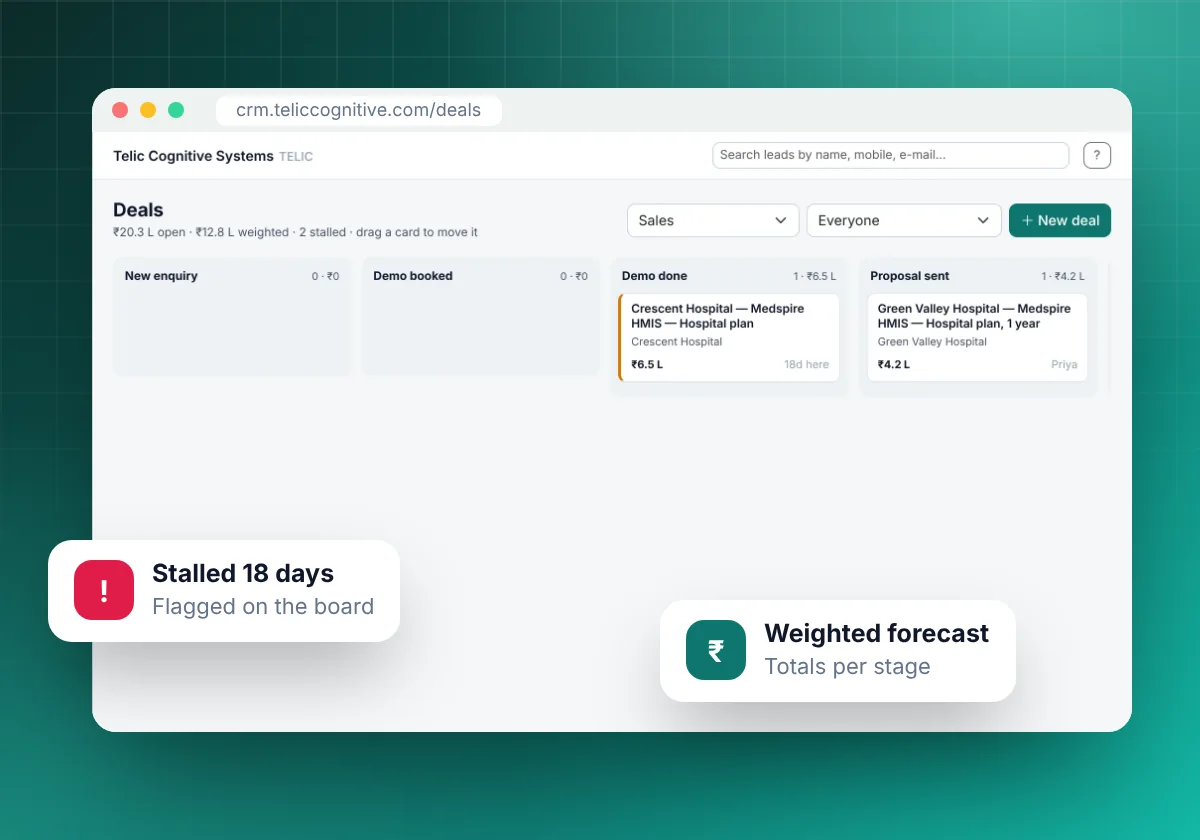
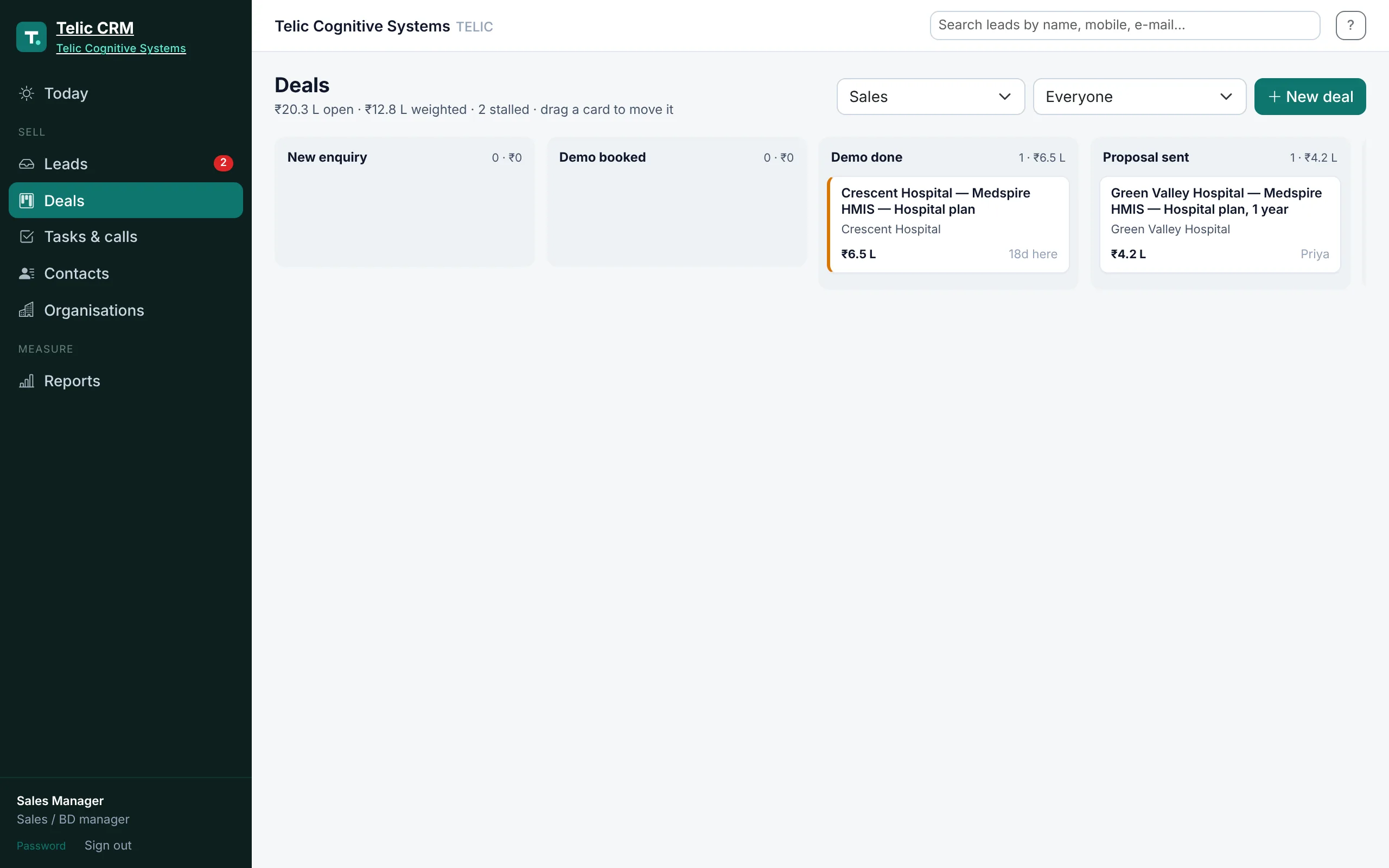
- A drag-and-drop board per pipeline, with totals and a weighted forecast per stage
- As many pipelines as you need — sales, renewals, partners, corporates, referrers
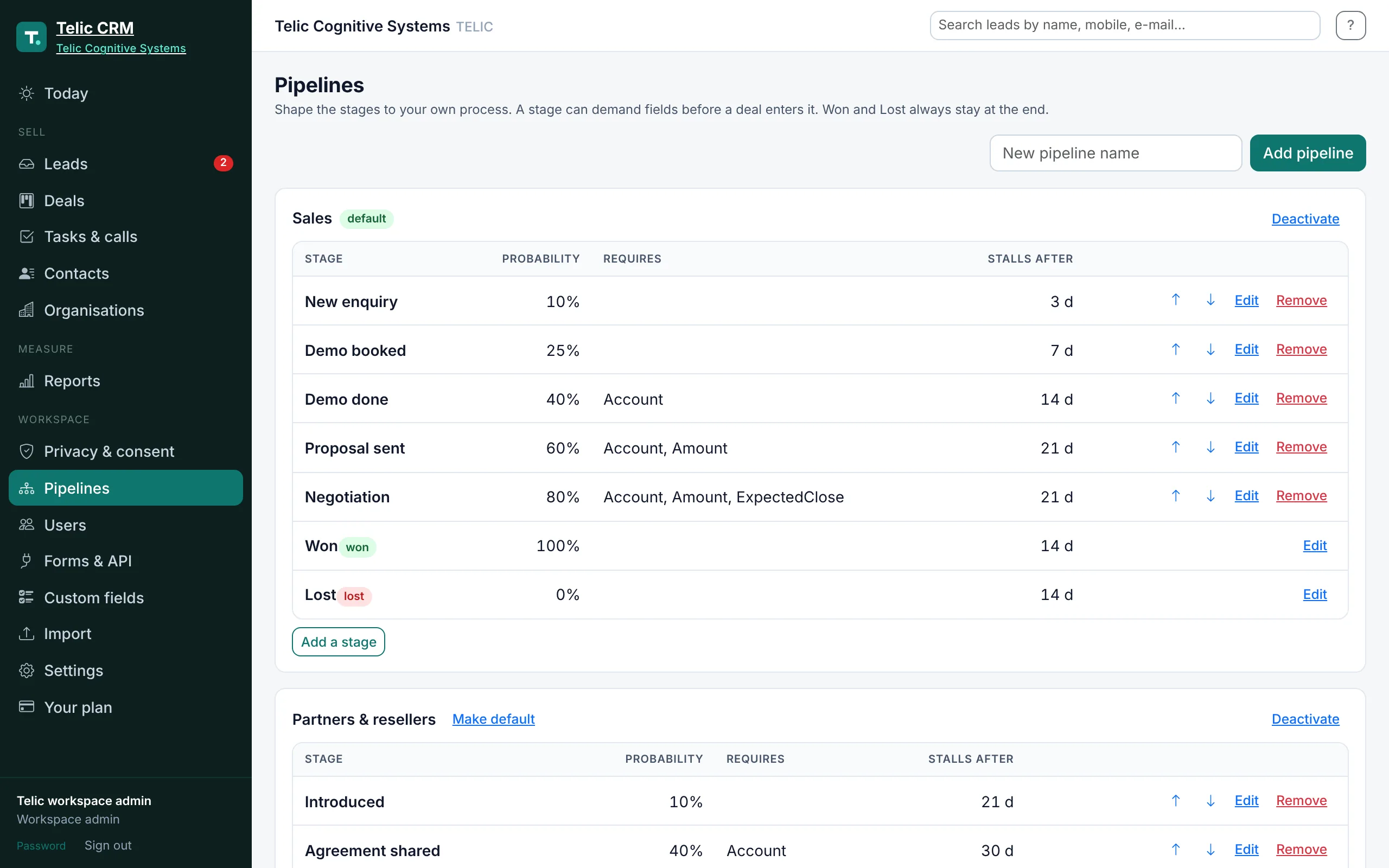
- Stages that ask for what they need: an amount before a proposal, a close date before negotiation
- Winning needs an amount; losing needs a reason — so the win/loss report means something
- Deals that sit too long in a stage are flagged, with the days counted
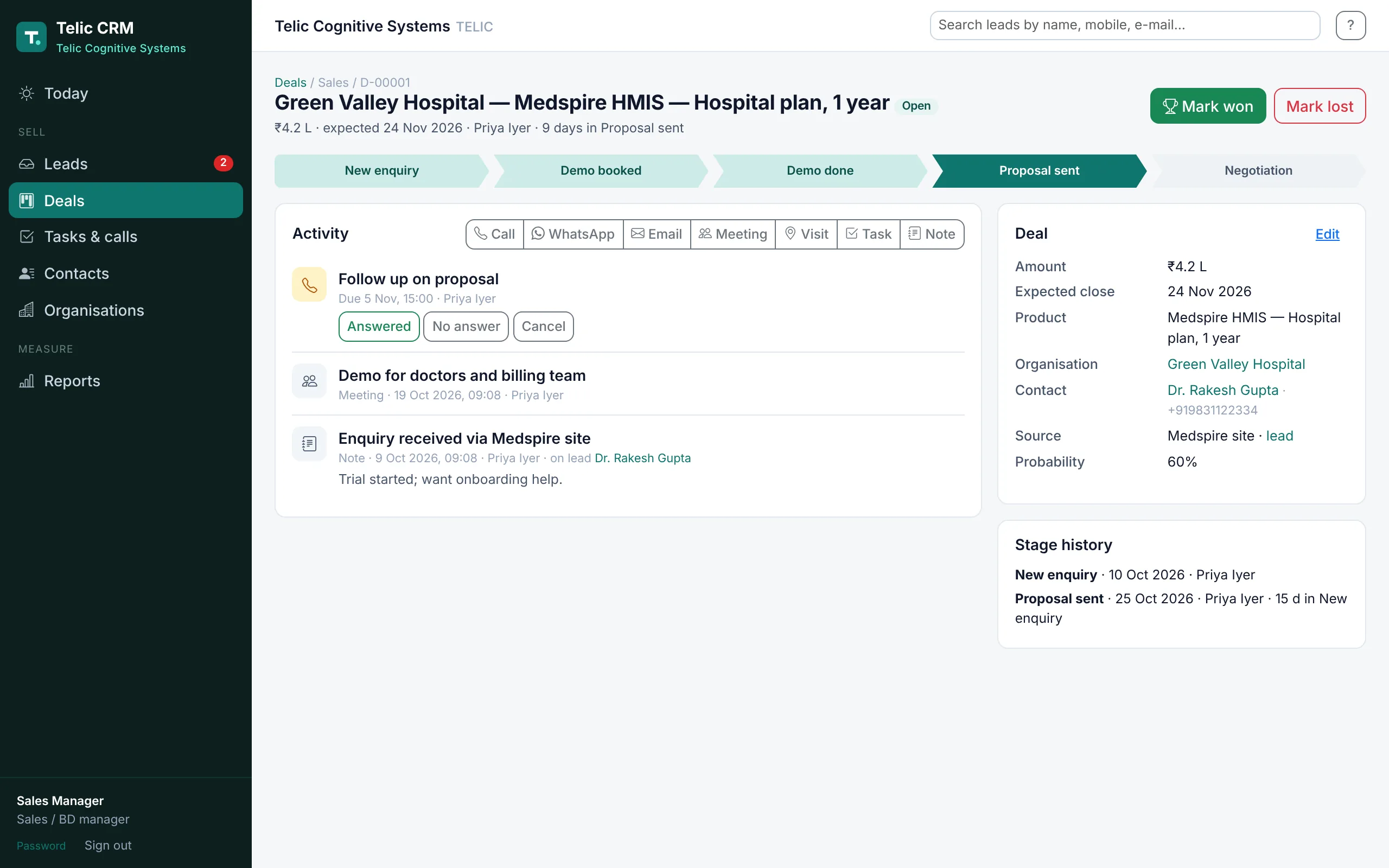
- Stage history keeps how long each deal spent where
From first step to done
Shape the pipeline
Name the stages, set each one's probability, what it requires and when it counts as stalled.
Move deals
Drag a card or click the stage path; a move that is missing something says exactly what.
Close honestly
Won at an amount, or lost for a reason you pick — price, competitor, timing, no decision.
More of deals & pipelines
Deals & pipelines: frequently asked
Step-by-step help in the user guide:
How many pipelines can we have?
As many as your plan allows: one on Free, three on Starter and unlimited on Growth — for example sales, renewals, partners and corporates.
What are stage rules?
A stage can require details before a deal enters it, such as an amount before a proposal or a close date before negotiation. The move says exactly what is missing.
How is the forecast worked out?
Each stage has a probability. The weighted forecast is the value of open deals multiplied by their stage's probability.
See it with your own leads
A 30-minute demo on your process, or a trial workspace set up for your industry.