Skip to content
Getting started Sign in and choose your password Your Today page Set up your workspace in ten minutes Invite your team The Telic CRM app for Android Connect Gmail or Outlook, your calling number and a booking link Your free trial The getting-started checklist and sample data Leads Leads from IndiaMART, JustDial, Facebook, Google Ads and property portals How leads arrive Add a lead from a call or walk-in When someone enquires twice Reply on time — the reply clock Assign and take leads Qualify, disqualify or reopen Convert a lead Understand the lead score Deals Quotes with GST, a PDF and online acceptance The deals board Create a deal Stage rules — why a move is refused Win or lose a deal Stalled deals The weighted forecast Calls & tasks WhatsApp on leads, contacts and deals Click to call with Exotel, MyOperator or Knowlarity Log a call Schedule a call, task or visit Tasks & calls E-mail from the CRM, and replies Note a WhatsApp message or e-mail Contacts Add or edit a contact A customer's timeline Organisations Reports AI briefs, drafted follow-ups and Ask your CRM The reports, explained Export to Excel Email marketing Live segments A/B subject tests Sign-up forms, pop-ups and website visits Deliverability and warm-up Start with e-mail marketing Write and send a campaign Follow a campaign and its results Lists and subscribers Templates and images Automatic sequences Date reminders Re-engage inactive people The never-email list Email reports Unsubscribe, preferences and sign-ups Website & API Put the enquiry form on your website Send leads from your website's server API keys Privacy & DPDP What the two consent boxes mean Record consent given in person Unsubscribe and do-not-contact Handle a request to see, correct or erase data Erase a person Retention — what is erased automatically Your privacy notice and grievance officer Admin Automation rules Users and roles Pipelines and stages Workspace settings Your industry, your words Change what your enquiry form asks Export your whole workspace Your plan, payments and invoices Import from Excel or CSV Custom fields Refer a business The audit trail For hospitals The patient enquiry pipeline Enquiries for children Corporates, insurers and TPAs Referring doctors Questions "I can't see a lead" "My move was refused" "The form says consent is required" Locked out or forgot the password
Pipelines and stages
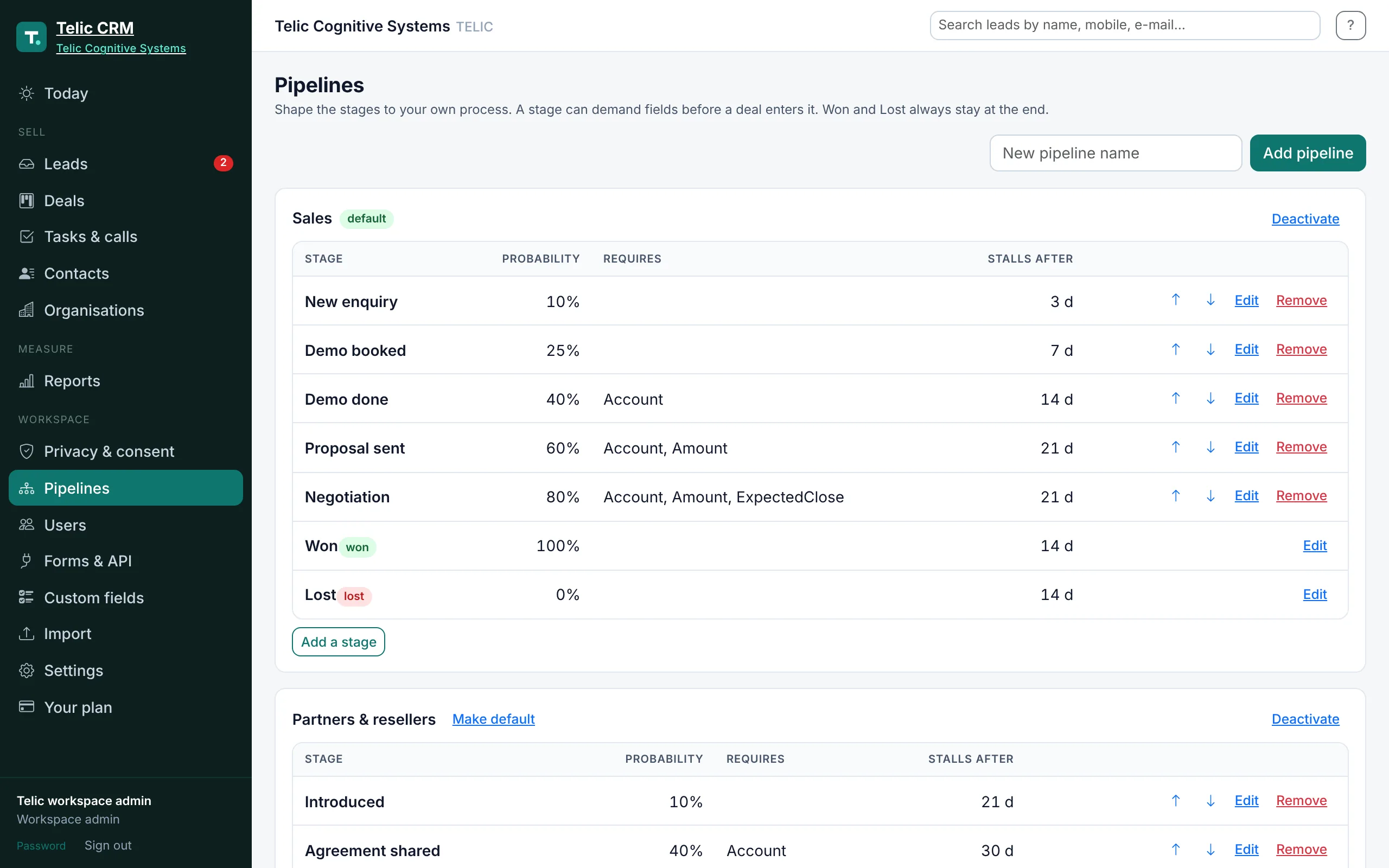
In Pipelines :
Add pipeline for another process (renewals, partners, corporates).Edit a stage: its name, probability (for the forecast), what it requires (amount, expected close, organisation, contact), and after how many days a deal is stalled .Add a stage — it goes before Won and Lost. Reorder with the arrows.A stage deals have been through can be renamed but not removed. Every pipeline keeps one Won and one Lost stage.
Make default sets the pipeline new deals use.
Pipelines and stages