Guide / Leads
Add a lead from a call or walk-in
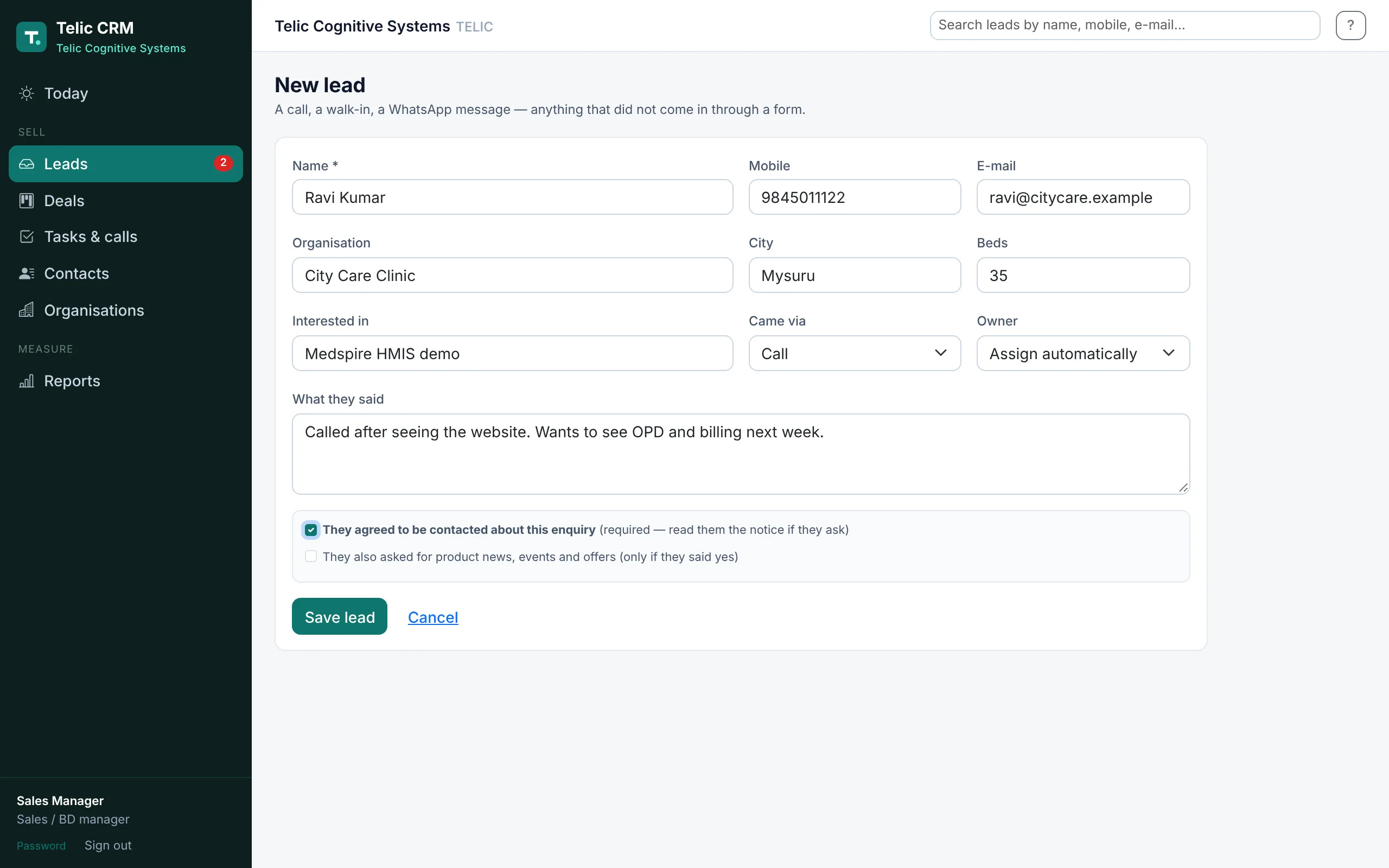
- Press New lead.
- Enter the name and a mobile number or e-mail (at least one).
- Fill what you know: organisation, city, what they are interested in, what they said.
- Choose how it came in — call, walk-in, WhatsApp, e-mail, referral, event.
- Tick They agreed to be contacted about this enquiry. Without it the lead cannot be saved: you may not follow up someone who has not agreed.
- Tick the marketing box only if they said yes to news and offers.
- Save lead. It is given to the rep with the fewest open leads unless a manager picks the owner.